

- Strona główna
- Pobierz
Download GolinksPRO Download Manager
Version 0.5.2 · free and open source · no ads, no spyware, nothing bundled. What's new
-
Windows 10 i 11 · 64-bit
- setup.exe
- Installs GDM, connects your browsers, asks your language
- portable.zip
- Rozpakuj w dowolnym miejscu, także na pendrive; wszystko zostaje w folderze
- x64.zip
- Programy bez instalatora
-
macOS 11 i nowsze
- arm64.dmg
- Apple Silicon: komputery Mac z czipem M1 lub nowszym
- x86_64.dmg
- Intel: komputery Mac z procesorem Intel
- Pierwsze uruchomienie
- Aplikacja nie została jeszcze poświadczona przez Apple: kliknij ją prawym przyciskiem myszy i wybierz Otwórz (macOS 15 i nowsze: Ustawienia systemowe → Prywatność i ochrona → Otwórz mimo to)
-
Linux x86-64
- .AppImage
- Dowolna dystrybucja: nadaj plikowi uprawnienia do uruchamiania i uruchom go
- .tar.gz
- Programy do rozpakowania w dowolnym miejscu
To aplikacja desktopowa: otwórz tę stronę na swoim komputerze, aby ją pobrać.
Rozszerzenie do przeglądarki
It hands your browser's downloads to GDM with their cookies, adds Download with GolinksPRO Download Manager to the right-click menu and puts a Download video button over videos.
Firefox (oraz Zen i LibreWolf): zainstaluj jednym kliknięciem ze sklepu z dodatkami, a Firefox będzie aktualizować rozszerzenie.
 Dodaj do Firefox
Chrome, Edge, Brave, Opera i Vivaldi: jedno kliknięcie w Chrome Web Store, a przeglądarka będzie ją aktualizować. Edge najpierw poprosi o zezwolenie na rozszerzenia z innych sklepów.
 Dodaj do Chrome
Nie możesz użyć sklepu? Rozszerzenie jest dołączone do aplikacji, w jej folderze extension, oraz jako osobny plik do pobrania dla przeglądarek opartych na Chromium (.zip: rozpakuj, a następnie Załaduj rozpakowane na stronie rozszerzeń przeglądarki z włączonym trybem programisty). Przewodnik krok po kroku pokazuje każdą przeglądarkę.
Instalacja w trzech krokach
- Pobierz setup.exe powyżej i uruchom. System Windows może zapytać, czy zezwolić na jego uruchomienie: instalator nie jest jeszcze podpisany cyfrowo, więc wybierz Więcej informacji → Uruchom mimo to.
- Wybierz swój język i pozostaw zaznaczoną opcję Skonfiguruj integrację z przeglądarką.
- Start GolinksPRO Download Manager from the Start menu, then download your first file.
W systemie Linux lub macOS
Linux: install the .deb with sudo apt install ./<file>.deb (Debian, Ubuntu, Mint) or the .rpm with sudo dnf install ./<file>.rpm (Fedora), and the packages bring what GDM needs. Or make the AppImage executable (chmod +x) and run it. GDM connects itself to your browsers at each start; then add the extension from your browser's store, above. More in the help.
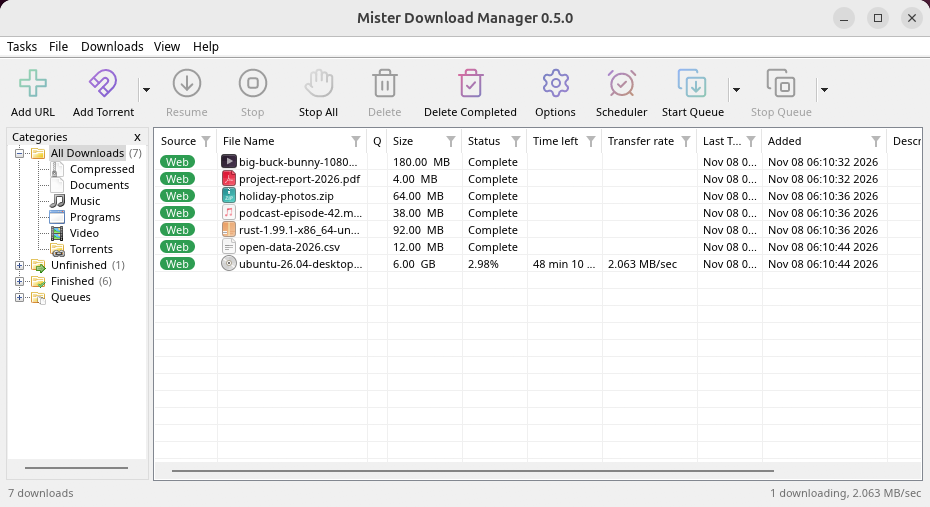
macOS: open the .dmg and drag GolinksPRO Download Manager to Applications, then right-click it and choose Open the first time.
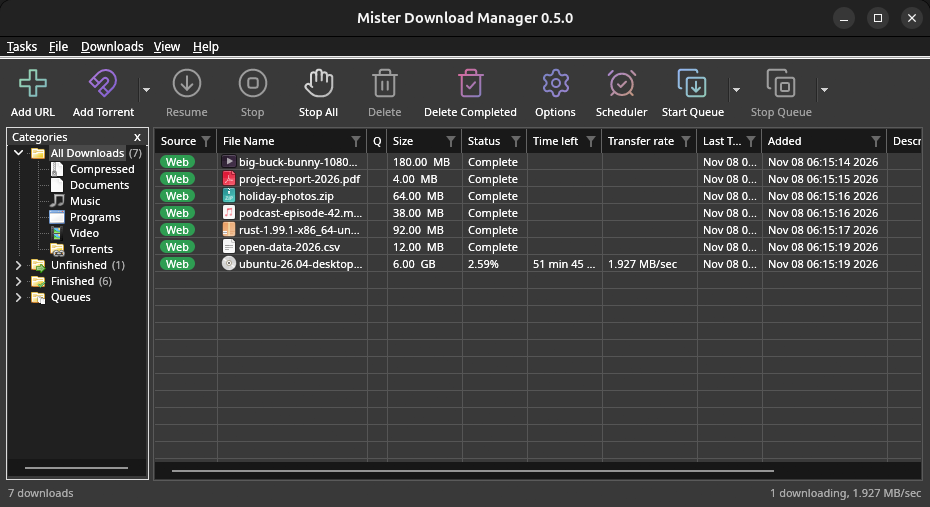
Linux won't be experimental any more. GNOME, KDE Plasma, Xfce and Cinnamon were checked window by window, with the tray and Dark Mode support, in Wayland sessions too, and the .deb and .rpm in clean Ubuntu 24.04, Debian 12 and Fedora 45 systems. What's left: the Flatpak Firefox isn't checked yet, and screen readers (Orca) don't read GDM's windows on Linux yet. macOS stays experimental. Windows, Mac and Linux
Czego potrzebujesz
- Windows 10 lub 11, 64-bitowy; około 100 MB miejsca na dysku.
- macOS 11 lub nowszy na Apple Silicon lub Intel (eksperymentalnie).
- Linux na x86-64 z sesją pulpitu, X11 lub Wayland (obecne pliki eksperymentalne).
- For video pages, GDM downloads yt-dlp (and ffmpeg if you want merged qualities) on first use.
Sprawdź swoje pobieranie
Every release lists the SHA-256 checksum of each file in SHA256SUMS.txt. On Windows, compare it with certutil -hashfile file SHA256; on macOS and Linux with shasum -a 256 file.
Free and Open Source
GolinksPRO Download Manager is free software under the GNU GPL, version 3.
Coś nie działa? Chcielibyśmy o tym wiedzieć.
Troubleshooting guide