

- 主页
- 下载
Download GolinksPRO Download Manager
Version 0.5.2 · free and open source · no ads, no spyware, nothing bundled. What's new
-
Windows 10 和 11 · 64 位
- setup.exe
- Installs GDM, connects your browsers, asks your language
- portable.zip
- 解压到任意位置,包括 U 盘;所有文件都保留在各自文件夹中
- x64.zip
- 不带安装程序的程序文件
-
macOS 11 及更高版本
- arm64.dmg
- Apple Silicon:搭载 M1 芯片或更高版本芯片的 Mac
- x86_64.dmg
- Intel:搭载 Intel 处理器的 Mac
- 首次启动
- 尚未通过 Apple 公证:右键点击应用并选择“打开”(macOS 15 及更高版本:系统设置 → 隐私与安全性 → 仍要打开)
-
Linux x86-64
下载 AppImage
这是一个桌面应用:请在您的电脑上打开此页面进行下载。
浏览器扩展
It hands your browser's downloads to GDM with their cookies, adds Download with GolinksPRO Download Manager to the right-click menu and puts a Download video button over videos.
Firefox(以及 Zen、LibreWolf):从其附加组件商店一键安装,Firefox 会保持其最新状态。
 添加到 Firefox
Chrome、Edge、Brave、Opera 和 Vivaldi:从 Chrome 网上应用店一键安装,浏览器会自动保持更新。Edge 浏览器首次安装时会要求允许来自其他商店的扩展。
 添加至 Chrome
无法使用商店?它随应用程序一起提供,位于其 extension 文件夹中,也可作为单独的下载用于 Chromium 浏览器(.zip:解压后,在浏览器扩展页面上开启开发者模式,然后点击加载已解压的扩展程序)。分步指南会展示每个浏览器的操作步骤。
三步安装
- 下载上方的setup.exe并运行。Windows 可能会询问是否允许运行:安装程序尚未进行代码签名,因此请选择更多信息 → 仍然运行。
- 选择您的语言,并保持勾选设置浏览器集成。
- Start GolinksPRO Download Manager from the Start menu, then download your first file.
在 Linux 或 Mac 上
Linux: install the .deb with sudo apt install ./<file>.deb (Debian, Ubuntu, Mint) or the .rpm with sudo dnf install ./<file>.rpm (Fedora), and the packages bring what GDM needs. Or make the AppImage executable (chmod +x) and run it. GDM connects itself to your browsers at each start; then add the extension from your browser's store, above. More in the help.
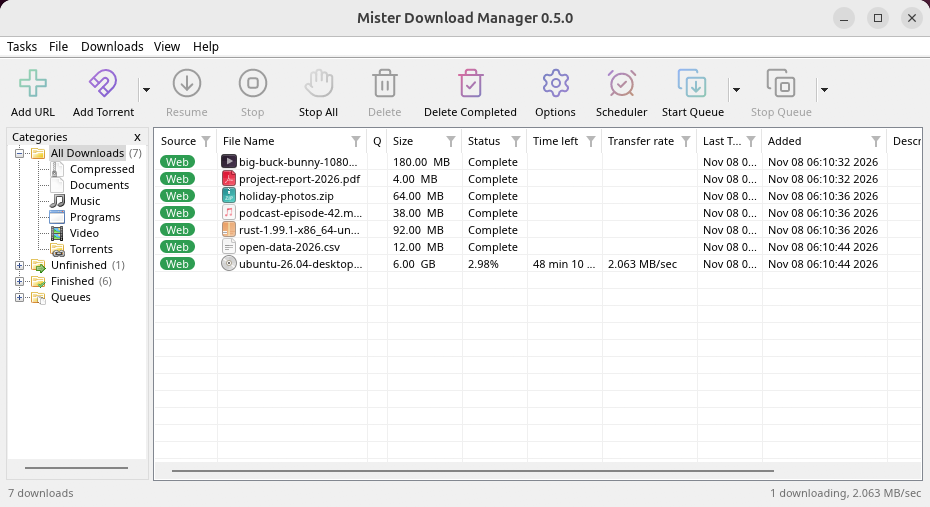
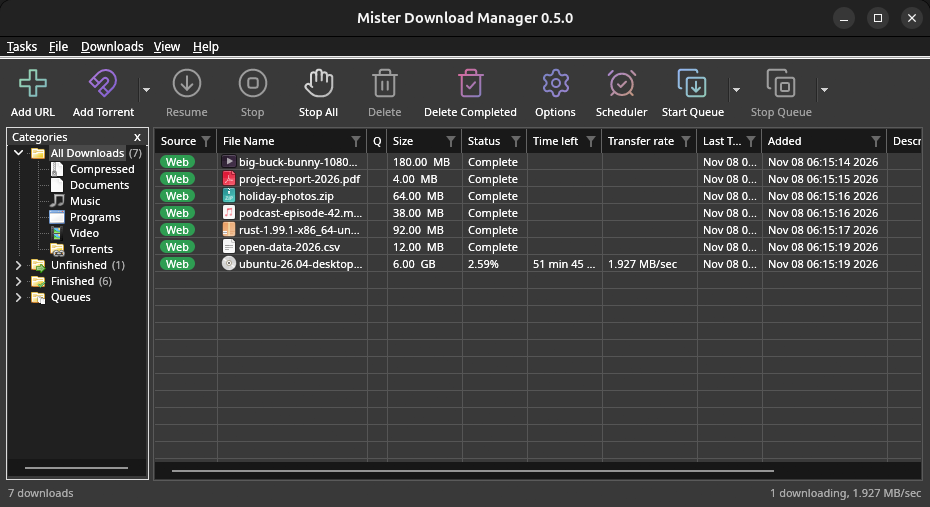
macOS: open the .dmg and drag GolinksPRO Download Manager to Applications, then right-click it and choose Open the first time.
Linux won't be experimental any more. GNOME, KDE Plasma, Xfce and Cinnamon were checked window by window, with the tray and Dark Mode support, in Wayland sessions too, and the .deb and .rpm in clean Ubuntu 24.04, Debian 12 and Fedora 45 systems. What's left: the Flatpak Firefox isn't checked yet, and screen readers (Orca) don't read GDM's windows on Linux yet. macOS stays experimental. Windows, Mac and Linux
所需条件
- Windows 10 或 11,64 位;约 100 MB 磁盘空间。
- Apple Silicon 或 Intel 芯片上的macOS 11或更高版本(实验性)。
- x86-64 架构的 Linux,带有桌面会话,X11 或 Wayland(当前文件为实验性)。
- For video pages, GDM downloads yt-dlp (and ffmpeg if you want merged qualities) on first use.
检查您的下载
Every release lists the SHA-256 checksum of each file in SHA256SUMS.txt. On Windows, compare it with certutil -hashfile file SHA256; on macOS and Linux with shasum -a 256 file.
Free and Open Source
GolinksPRO Download Manager is free software under the GNU GPL, version 3.
遇到问题?请告诉我们。
Troubleshooting guide