

- Ana Sayfa
- İndir
Download GolinksPRO Download Manager
Version 0.5.2 · free and open source · no ads, no spyware, nothing bundled. What's new
-
Windows 10 ve 11 · 64-bit
- setup.exe
- Installs GDM, connects your browsers, asks your language
- portable.zip
- Herhangi bir yere, USB belleğe bile çıkarın; her şey kendi klasöründe kalır
- x64.zip
- Kurulum gerektirmeyen programlar
-
macOS 11 ve üzeri
- arm64.dmg
- Apple Silicon: M1 çipli veya daha yeni Mac'ler
- x86_64.dmg
- Intel: Intel işlemcili Mac'ler
- İlk çalıştırma
- Henüz Apple tarafından onaylanmadı: uygulamaya sağ tıklayın ve Aç'ı seçin (macOS 15 ve üzeri: Sistem Ayarları → Gizlilik ve Güvenlik → Yine de Aç)
-
Linux x86-64
- .AppImage
- Herhangi bir dağıtım: çalıştırılabilir izin verip çalıştırın
- .tar.gz
- Programları herhangi bir yere çıkarmak için
Bu bir masaüstü uygulamasıdır: indirmek için bu sayfayı bilgisayarınızda açın.
Tarayıcı uzantısı
It hands your browser's downloads to GDM with their cookies, adds Download with GolinksPRO Download Manager to the right-click menu and puts a Download video button over videos.
Firefox (ve Zen, LibreWolf): eklenti mağazasından tek tıklamayla, Firefox güncel tutar.
 Firefox'a Ekle
Chrome, Edge, Brave, Opera ve Vivaldi: Chrome Web Mağazası'ndan tek tıklamayla yüklenir ve tarayıcı güncel tutar. Edge önce diğer mağazalardan uzantılara izin vermenizi ister.
 Chrome'a Ekle
Mağaza kullanamıyor musunuz? Uygulama ile birlikte extension klasöründe gelir ve Chromium tarayıcıları için ayrı bir indirme olarak da mevcuttur (.zip: sıkıştırılmış dosyayı açın, ardından tarayıcının uzantılar sayfasında Geliştirici modunu açarak Paketlenmemiş öğeyi yükle seçeneğini kullanın). Adım adım kılavuz her tarayıcıyı gösterir.
Üç adımda yükleyin
- Yukarıdaki setup.exe dosyasını indirin ve çalıştırın. Windows izin isteyebilir: yükleyici henüz kod imzalı değil, bu yüzden Daha fazla bilgi → Yine de çalıştır seçeneğini seçin.
- Dilinizi seçin ve Tarayıcı entegrasyonunu ayarla seçeneğinin işaretli kalmasını sağlayın.
- Start GolinksPRO Download Manager from the Start menu, then download your first file.
Linux veya Mac'te
Linux: install the .deb with sudo apt install ./<file>.deb (Debian, Ubuntu, Mint) or the .rpm with sudo dnf install ./<file>.rpm (Fedora), and the packages bring what GDM needs. Or make the AppImage executable (chmod +x) and run it. GDM connects itself to your browsers at each start; then add the extension from your browser's store, above. More in the help.
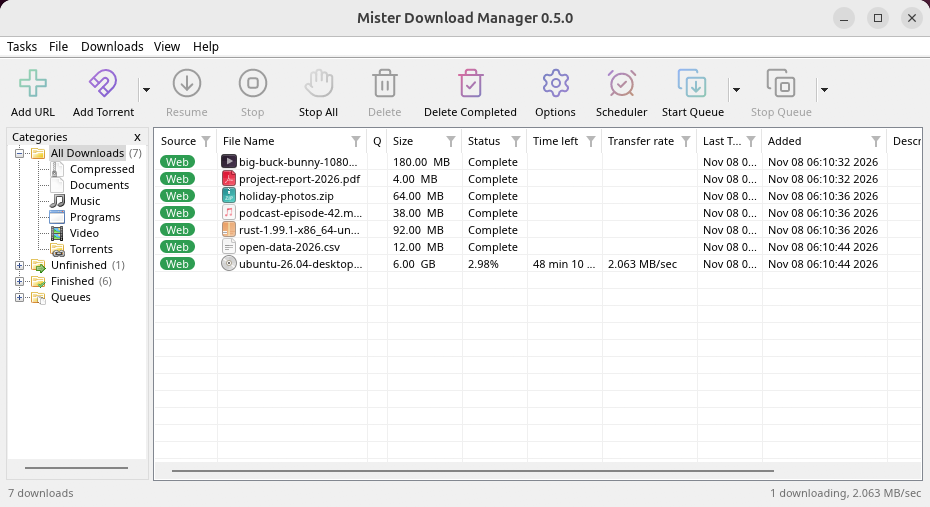
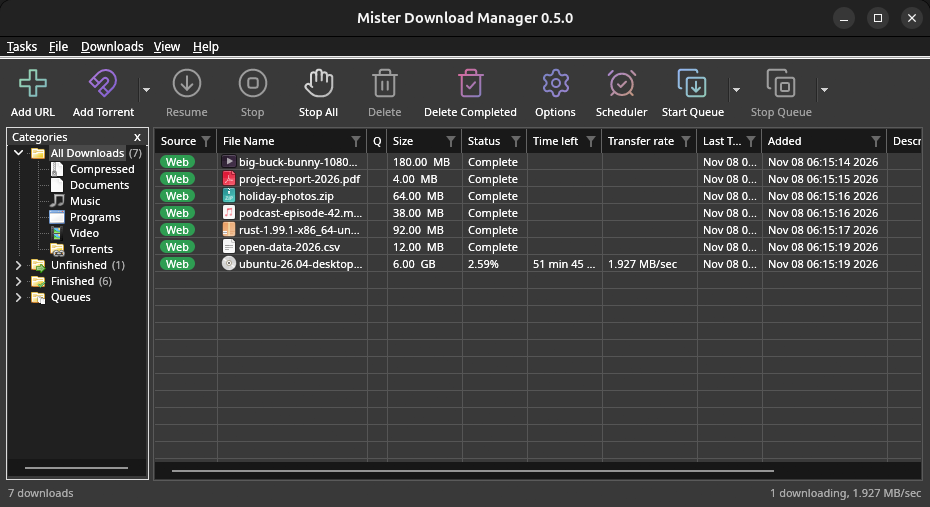
macOS: open the .dmg and drag GolinksPRO Download Manager to Applications, then right-click it and choose Open the first time.
Linux won't be experimental any more. GNOME, KDE Plasma, Xfce and Cinnamon were checked window by window, with the tray and Dark Mode support, in Wayland sessions too, and the .deb and .rpm in clean Ubuntu 24.04, Debian 12 and Fedora 45 systems. What's left: the Flatpak Firefox isn't checked yet, and screen readers (Orca) don't read GDM's windows on Linux yet. macOS stays experimental. Windows, Mac and Linux
İhtiyacınız olanlar
- Windows 10 veya 11, 64-bit; yaklaşık 100 MB disk alanı.
- Apple Silicon veya Intel üzerinde macOS 11 veya üzeri (deneysel).
- x86-64 üzerinde bir masaüstü oturumu, X11 veya Wayland ile Linux (bugünkü dosyalar deneyseldir).
- For video pages, GDM downloads yt-dlp (and ffmpeg if you want merged qualities) on first use.
İndirmenizi kontrol edin
Every release lists the SHA-256 checksum of each file in SHA256SUMS.txt. On Windows, compare it with certutil -hashfile file SHA256; on macOS and Linux with shasum -a 256 file.
Free and Open Source
GolinksPRO Download Manager is free software under the GNU GPL, version 3.
Bir şeyler çalışmıyor mu? Bilmek isteriz.
Troubleshooting guide