

- Beranda
- Unduh
Download GolinksPRO Download Manager
Version 0.5.2 · free and open source · no ads, no spyware, nothing bundled. What's new
-
Windows 10 dan 11 · 64-bit
- setup.exe
- Installs GDM, connects your browsers, asks your language
- portable.zip
- Ekstrak di mana saja, termasuk stik USB; semuanya tetap di foldernya
- x64.zip
- Program tanpa penginstal
-
macOS 11 dan yang lebih baru
- arm64.dmg
- Apple Silicon: Mac dengan chip M1 atau yang lebih baru
- x86_64.dmg
- Intel: Mac dengan prosesor Intel
- Mulai pertama kali
- Belum disahkan oleh Apple: klik kanan aplikasi dan pilih Buka (macOS 15 dan yang lebih baru: Pengaturan Sistem → Privasi & Keamanan → Buka Tetap)
-
Linux x86-64
- .AppImage
- Distribusi apa pun: jadikan dapat dieksekusi dan jalankan
- .tar.gz
- Program, untuk diekstrak di mana saja
Ini adalah aplikasi desktop: buka halaman ini di komputer Anda untuk mengunduhnya.
Ekstensi browser
It hands your browser's downloads to GDM with their cookies, adds Download with GolinksPRO Download Manager to the right-click menu and puts a Download video button over videos.
Firefox (serta Zen dan LibreWolf): tambahkan dengan sekali klik dari toko add-on, lalu Firefox akan memperbaruinya secara otomatis.
 Tambahkan ke Firefox
Chrome, Edge, Brave, Opera, dan Vivaldi: tambahkan dengan sekali klik dari Chrome Web Store, lalu browser akan memperbaruinya secara otomatis. Edge akan meminta izin untuk menggunakan ekstensi dari toko lain terlebih dahulu.
 Tambahkan ke Chrome
Tidak bisa menggunakan toko? Ekstensi ini disertakan dengan aplikasi, di folder extension, dan sebagai unduhan tersendiri untuk peramban berbasis Chromium (.zip: ekstrak, lalu Muat ekstensi yang belum dikemas di halaman ekstensi peramban dengan mode Pengembang aktif). Panduan langkah demi langkah menunjukkan setiap peramban.
Instal dalam tiga langkah
- Unduh setup.exe di atas dan jalankan. Windows mungkin bertanya apakah akan mengizinkannya: penginstal belum ditandatangani kode, jadi pilih Info selengkapnya → Tetap jalankan.
- Pilih bahasa Anda dan biarkan Siapkan integrasi peramban tetap dicentang.
- Start GolinksPRO Download Manager from the Start menu, then download your first file.
Di Linux atau Mac
Linux: install the .deb with sudo apt install ./<file>.deb (Debian, Ubuntu, Mint) or the .rpm with sudo dnf install ./<file>.rpm (Fedora), and the packages bring what GDM needs. Or make the AppImage executable (chmod +x) and run it. GDM connects itself to your browsers at each start; then add the extension from your browser's store, above. More in the help.
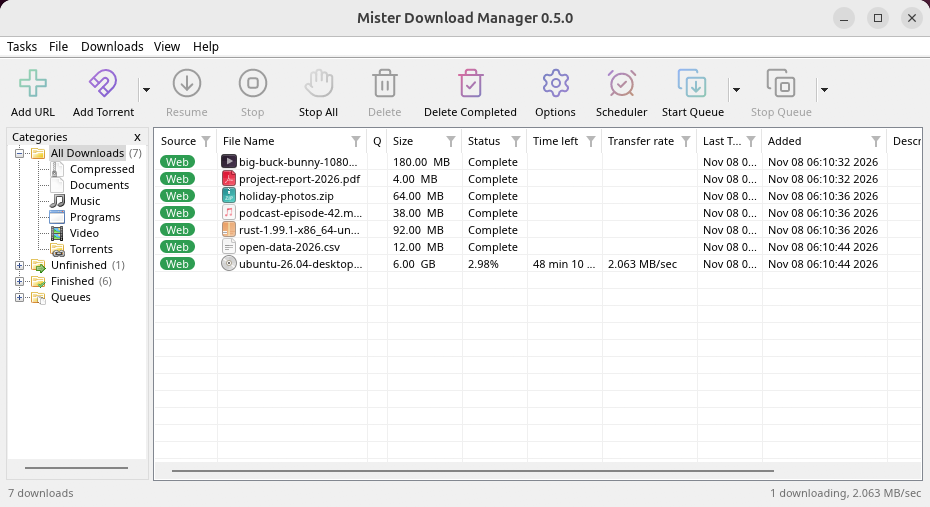
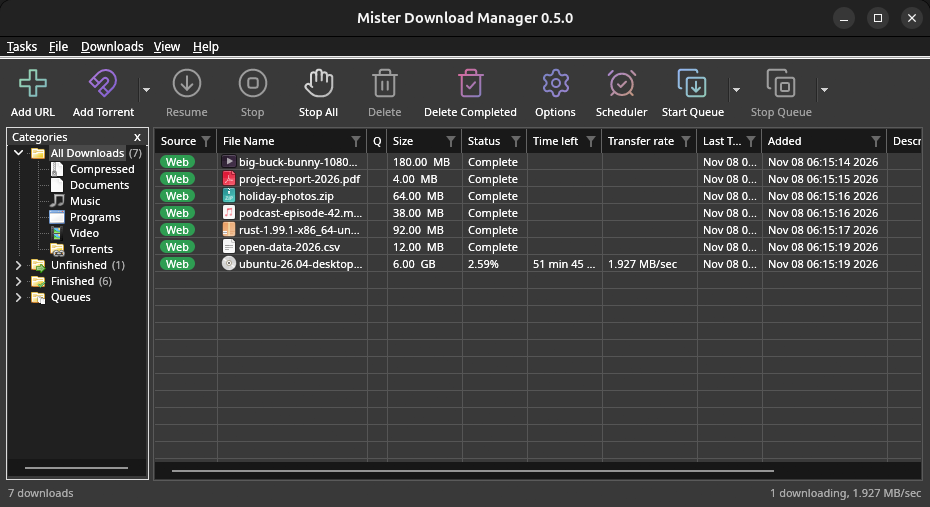
macOS: open the .dmg and drag GolinksPRO Download Manager to Applications, then right-click it and choose Open the first time.
Linux won't be experimental any more. GNOME, KDE Plasma, Xfce and Cinnamon were checked window by window, with the tray and Dark Mode support, in Wayland sessions too, and the .deb and .rpm in clean Ubuntu 24.04, Debian 12 and Fedora 45 systems. What's left: the Flatpak Firefox isn't checked yet, and screen readers (Orca) don't read GDM's windows on Linux yet. macOS stays experimental. Windows, Mac and Linux
Yang Anda butuhkan
- Windows 10 atau 11, 64-bit; sekitar 100 MB ruang disk.
- macOS 11 atau yang lebih baru di Apple Silicon atau Intel (eksperimental).
- Linux di x86-64 dengan sesi desktop, X11 atau Wayland (file saat ini eksperimental).
- For video pages, GDM downloads yt-dlp (and ffmpeg if you want merged qualities) on first use.
Periksa unduhan Anda
Every release lists the SHA-256 checksum of each file in SHA256SUMS.txt. On Windows, compare it with certutil -hashfile file SHA256; on macOS and Linux with shasum -a 256 file.
Free and Open Source
GolinksPRO Download Manager is free software under the GNU GPL, version 3.
Ada yang tidak berfungsi? Kami ingin tahu.
Troubleshooting guide