

- หน้าหลัก
- ดาวน์โหลด
Download GolinksPRO Download Manager
Version 0.5.2 · free and open source · no ads, no spyware, nothing bundled. What's new
-
Windows 10 และ 11 · 64-บิต
- setup.exe
- Installs GDM, connects your browsers, asks your language
- portable.zip
- แตกไฟล์ที่ไหนก็ได้ รวมถึงแฟลชไดรฟ์ USB; ทุกอย่างจะอยู่ในโฟลเดอร์ของมัน
- x64.zip
- โปรแกรมที่ไม่มีตัวติดตั้ง
-
macOS 11 และใหม่กว่า
- arm64.dmg
- Apple Silicon: Mac ที่ใช้ชิป M1 หรือใหม่กว่า
- x86_64.dmg
- Intel: Mac ที่ใช้โปรเซสเซอร์ Intel
- การเริ่มต้นครั้งแรก
- ยังไม่ได้รับการรับรองจาก Apple: คลิกขวาที่แอปแล้วเลือก เปิด (macOS 15 และใหม่กว่า: การตั้งค่าระบบ → ความเป็นส่วนตัวและความปลอดภัย → เปิดต่อไป)
-
Linux x86-64
- .AppImage
- ทุกการแจกจ่าย: ทำให้เป็นไฟล์ที่เรียกใช้งานได้แล้วรัน
- .tar.gz
- โปรแกรมสำหรับแตกไฟล์ที่ไหนก็ได้
เป็นแอปเดสก์ท็อป: เปิดหน้านี้บนคอมพิวเตอร์ของคุณเพื่อดาวน์โหลด
ส่วนขยายเบราว์เซอร์
It hands your browser's downloads to GDM with their cookies, adds Download with GolinksPRO Download Manager to the right-click menu and puts a Download video button over videos.
Firefox (และ Zen, LibreWolf): คลิกเดียวจากร้านค้าส่วนเสริมของ Firefox และ Firefox จะอัปเดตให้เอง
 เพิ่มใน Firefox
Chrome, Edge, Brave, Opera และ Vivaldi: คลิกเดียวจาก Chrome Web Store และเบราว์เซอร์จะอัปเดตให้เอง Edge จะถามก่อนว่าอนุญาตส่วนขยายจากร้านค้าอื่นหรือไม่
 เพิ่มใน Chrome
ใช้ร้านค้าไม่ได้ใช่ไหม? ส่วนขยายมาพร้อมกับแอป ในโฟลเดอร์ extension และ ดาวน์โหลดแยกต่างหาก สำหรับเบราว์เซอร์ Chromium (.zip: แตกไฟล์ จากนั้น โหลดส่วนขยายที่ไม่ได้แพ็ก ในหน้าส่วนขยายของเบราว์เซอร์โดยเปิดโหมดนักพัฒนา) คู่มือทีละขั้นตอน แสดงวิธีการสำหรับแต่ละเบราว์เซอร์
ติดตั้งในสามขั้นตอน
- ดาวน์โหลด setup.exe ด้านบนแล้วเรียกใช้ Windows อาจถามว่าจะอนุญาตหรือไม่ เนื่องจากตัวติดตั้งยังไม่ได้ลงชื่อด้วยรหัส ดังนั้นให้เลือก ข้อมูลเพิ่มเติม → เรียกใช้ต่อไป
- เลือกภาษาของคุณและทำเครื่องหมาย ตั้งค่าการรวมเบราว์เซอร์ ไว้
- Start GolinksPRO Download Manager from the Start menu, then download your first file.
สำหรับ Linux หรือ Mac
Linux: install the .deb with sudo apt install ./<file>.deb (Debian, Ubuntu, Mint) or the .rpm with sudo dnf install ./<file>.rpm (Fedora), and the packages bring what GDM needs. Or make the AppImage executable (chmod +x) and run it. GDM connects itself to your browsers at each start; then add the extension from your browser's store, above. More in the help.
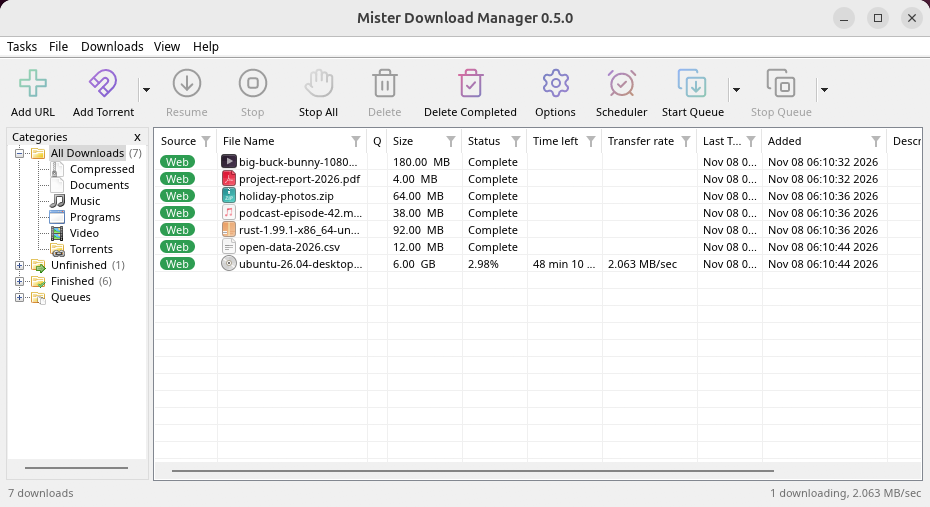
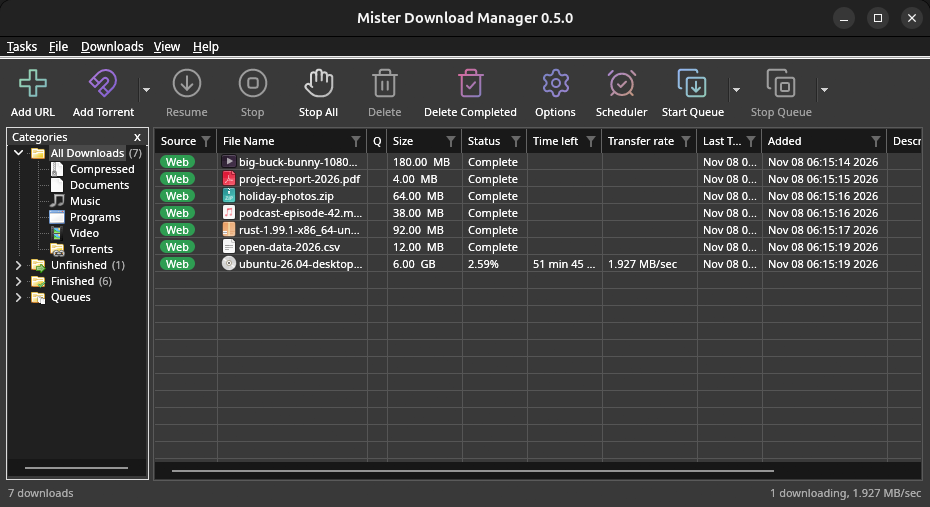
macOS: open the .dmg and drag GolinksPRO Download Manager to Applications, then right-click it and choose Open the first time.
Linux won't be experimental any more. GNOME, KDE Plasma, Xfce and Cinnamon were checked window by window, with the tray and Dark Mode support, in Wayland sessions too, and the .deb and .rpm in clean Ubuntu 24.04, Debian 12 and Fedora 45 systems. What's left: the Flatpak Firefox isn't checked yet, and screen readers (Orca) don't read GDM's windows on Linux yet. macOS stays experimental. Windows, Mac and Linux
สิ่งที่คุณต้องการ
- Windows 10 หรือ 11, 64 บิต; พื้นที่ว่างบนดิสก์ประมาณ 100 MB
- macOS 11 หรือใหม่กว่าบน Apple Silicon หรือ Intel (ทดลอง)
- Linux บน x86-64 พร้อมเซสชันเดสก์ท็อป, X11 หรือ Wayland (ไฟล์ปัจจุบันเป็นรุ่นทดลอง)
- For video pages, GDM downloads yt-dlp (and ffmpeg if you want merged qualities) on first use.
ตรวจสอบการดาวน์โหลดของคุณ
Every release lists the SHA-256 checksum of each file in SHA256SUMS.txt. On Windows, compare it with certutil -hashfile file SHA256; on macOS and Linux with shasum -a 256 file.
Free and Open Source
GolinksPRO Download Manager is free software under the GNU GPL, version 3.
มีบางอย่างไม่ทำงานใช่ไหม เราอยากทราบ
Troubleshooting guide