
- Главная
- Загрузить
Download GolinksPRO Download Manager
Version 0.5.2 · free and open source · no ads, no spyware, nothing bundled. What's new
-
Windows 10 и 11 · 64-бит
- setup.exe
- Installs GDM, connects your browsers, asks your language
- portable.zip
- Распакуйте куда угодно, в том числе на USB-накопитель; всё остаётся в своей папке
- x64.zip
- Программы без установщика
-
macOS 11 и новее
- arm64.dmg
- Apple Silicon: Mac с чипом M1 или новее
- x86_64.dmg
- Intel: Mac с процессором Intel
- Первый запуск
- Пока не нотариально заверено Apple: щёлкните приложение правой кнопкой мыши и выберите «Открыть» (macOS 15 и новее: «Системные настройки» → «Конфиденциальность и безопасность» → «Открыть в любом случае»)
-
Linux x86-64
- .AppImage
- Любой дистрибутив: сделайте исполняемым и запустите
- .tar.gz
- Программы, для распаковки в любом месте
Это настольное приложение: откройте эту страницу на своём компьютере, чтобы загрузить его.
Расширение для браузера
It hands your browser's downloads to GDM with their cookies, adds Download with GolinksPRO Download Manager to the right-click menu and puts a Download video button over videos.
Firefox (и Zen, LibreWolf): один клик из магазина дополнений, и Firefox будет поддерживать его в актуальном состоянии.
 Добавить в Firefox
Chrome, Edge, Brave, Opera и Vivaldi: в один клик из Chrome Web Store, и браузер будет поддерживать его в актуальном состоянии. Edge сначала попросит разрешить расширения из других магазинов.
 Добавить в Chrome
Не можете использовать магазин? Оно поставляется с приложением, в его папке extension, а также как отдельная загрузка для браузеров на базе Chromium (.zip: распакуйте, затем Загрузить распакованное на странице расширений браузера с включенным режимом разработчика). Пошаговое руководство показывает каждый браузер.
Установка в три шага
- Загрузите setup.exe выше и запустите его. Windows может спросить, разрешить ли это: установщик еще не подписан кодом, поэтому выберите Подробнее → Выполнить в любом случае.
- Выберите язык и оставьте Настроить интеграцию с браузером отмеченным.
- Start GolinksPRO Download Manager from the Start menu, then download your first file.
В Linux или macOS
Linux: install the .deb with sudo apt install ./<file>.deb (Debian, Ubuntu, Mint) or the .rpm with sudo dnf install ./<file>.rpm (Fedora), and the packages bring what GDM needs. Or make the AppImage executable (chmod +x) and run it. GDM connects itself to your browsers at each start; then add the extension from your browser's store, above. More in the help.
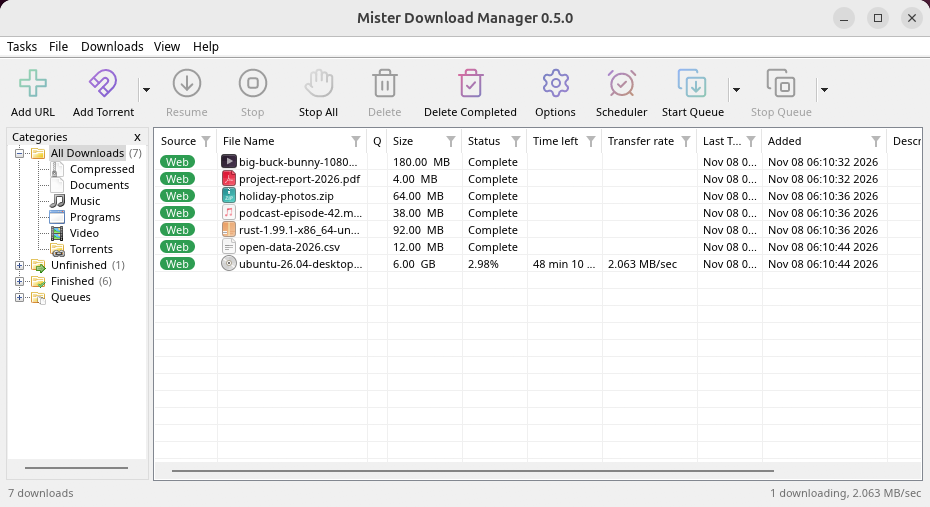
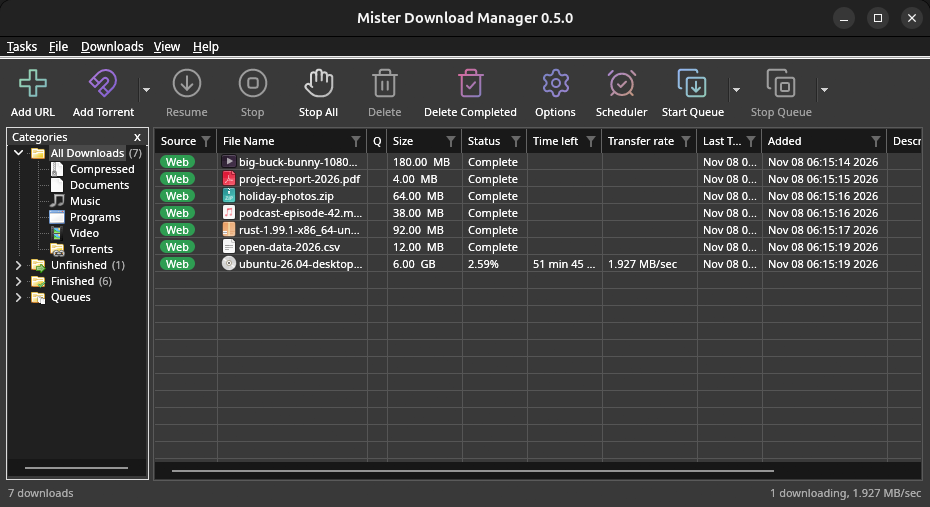
macOS: open the .dmg and drag GolinksPRO Download Manager to Applications, then right-click it and choose Open the first time.
Linux won't be experimental any more. GNOME, KDE Plasma, Xfce and Cinnamon were checked window by window, with the tray and Dark Mode support, in Wayland sessions too, and the .deb and .rpm in clean Ubuntu 24.04, Debian 12 and Fedora 45 systems. What's left: the Flatpak Firefox isn't checked yet, and screen readers (Orca) don't read GDM's windows on Linux yet. macOS stays experimental. Windows, Mac and Linux
Что вам понадобится
- Windows 10 или 11, 64-бит; около 100 МБ дискового пространства.
- macOS 11 или новее на Apple Silicon или Intel (экспериментально).
- Linux на x86-64 с сеансом рабочего стола, X11 или Wayland (текущие файлы экспериментальные).
- For video pages, GDM downloads yt-dlp (and ffmpeg if you want merged qualities) on first use.
Проверьте загрузку
Every release lists the SHA-256 checksum of each file in SHA256SUMS.txt. On Windows, compare it with certutil -hashfile file SHA256; on macOS and Linux with shasum -a 256 file.
Free and Open Source
GolinksPRO Download Manager is free software under the GNU GPL, version 3.
Что-то не работает? Мы хотели бы знать.
Troubleshooting guide