

A download that stopped halfway doesn't have to start over. GDM keeps what it has and continues from there.
Bağlantı kesildiğinde
When the connection drops, GDM retries on its own. In the progress window, the connection table shows Retrying and the reason. Usually the download goes on by itself once the connection is back.
Vazgeçip Hata durumunu gösterirse:
- İndirmeyi listeden seçin.
- Araç çubuğundaki Sürdür'e tıklayın (veya sağ tıklayın → İndirmeye Devam Et).
Çökme veya yeniden başlatma sonrasında
GDM saves each download's progress as it goes, so a Windows crash, a power cut or closing GDM loses at most the last moments.
- Start GDM. The download is in the list under Unfinished.
- İndirmeyi seçip Sürdür'ü tıklayın.
Bağlantının süresi dolduğunda
Birçok site, yalnızca kısa bir süre geçerli olan veya yalnızca oturum açıldığında çalışan bağlantılar verir. Eski adres artık yanıt vermediğinden indirmeye devam edilemez.
- İndirmeye sağ tıklayın ve İndirme adresini yenile seçeneğini seçin.
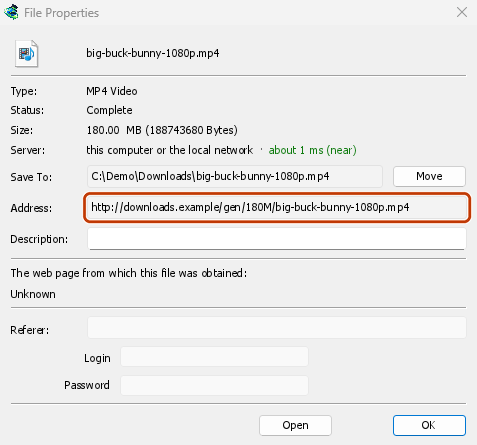
- GDM opens the web page the link came from (when it knows it), and the download's File Properties.
- On the web page, start the download again, or copy the new download link (right-click → Copy link). If the browser hands the new download to GDM, cancel it there: you only need the address.
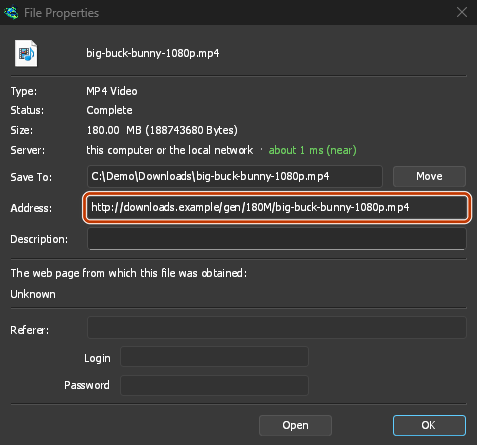
- Yeni bağlantıyı Dosya Özellikleri'ndeki Adres alanına yapıştırın ve Tamam'a tıklayın.
- Sürdür'e tıklayın. İndirme, yeni adresi kullanarak kaldığı yerden devam eder.
The new address has to point at the same file. If it doesn't, GDM stops with the file changed on the server.
Dosya sunucuda değiştiğinde
If the site replaced the file with a new version, the parts GDM has don't fit any more. Right-click the download and choose Redownload to start again from the beginning. A finished file is only replaced when the new download completes.
İndirmeye devam etmek mümkün olmadığında
Look at Resume capability in the progress window. No means the server can't send a file in parts. GDM then uses one connection, and a download that stops has to start over. For such servers, avoid stopping the download, and avoid a very low speed limit, which can make the server drop the connection.
Sonraki adımlar
- Bağlantılar ve indirmeye devam etme hakkında ayrıntılar →
- Sorun giderme →
- Belgeler dizinine geri dön →
Ücretsiz, açık kaynak, reklamsız, deneme sürümü yok.
Download GolinksPRO Download Manager