

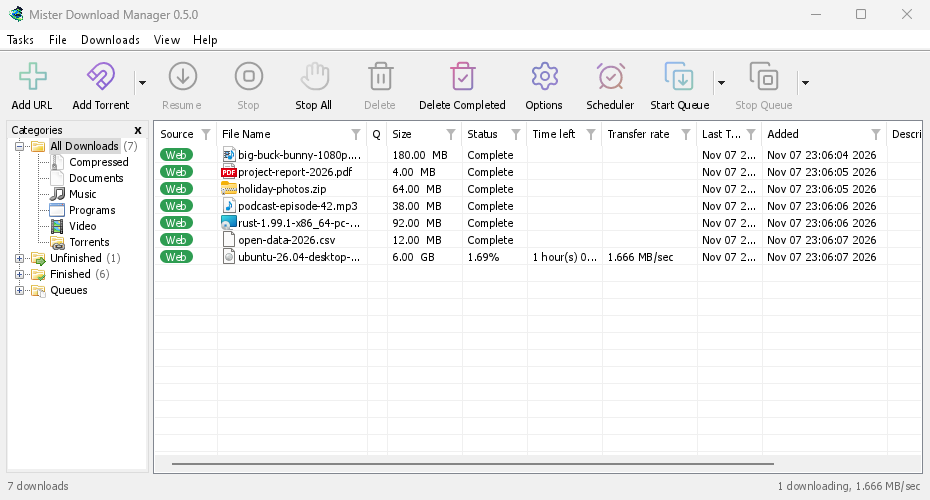
GolinksPRO Download Manager (GDM) is a free download manager for Windows and Linux (and, still experimental, macOS). It is laid out the way Internet Download Manager users expect: a toolbar, categories on the left, one list of downloads and a browser extension that hands downloads to it.
这些页面介绍了程序的各个部分。教程会逐步讲解大家最常做的操作,每个教程介绍一项操作。
从这里开始
- Getting started — install GDM (setup, portable or zip on Windows; the packages on Linux; the .dmg on a Mac), choose a language and find your way around the main window.
- 首次下载 — 从复制链接到打开文件,只需两分钟。
下载
- 添加下载 — 介绍“添加 URL”、剪贴板、拖放目标、批量下载和链接列表,以及“开始下载”与“稍后下载”的区别。
- 链接抓取器和压缩包 — 一次处理多个链接,以包的形式下载;下载完成后自动解压 zip、7z 和 rar 压缩包。
- Browser integration — the extension for Firefox (from addons.mozilla.org), Chrome, Edge, Brave, Opera and Vivaldi (from the Chrome Web Store), which downloads it takes, and what happens when GDM isn't running.
- Run GDM on a server — GDM without a window on a home server or NAS (Docker, Unraid), downloading into its folders; send it downloads from your phone or browser.
- Control GDM from your phone — add links, magnets and torrents from a phone or another computer at home, and watch and control the list.
整理
速度和连接
- Connections and speed — the progress window, how GDM splits a file over several connections, resuming, and the Speed Limiter.
视频和种子
- 视频下载 — 使用 yt-dlp 从视频页面(YouTube、Vimeo 等)下载视频。
- 图片库 — 使用 gallery-dl 下载图片库中的图片(Wikimedia Commons、Flickr、DeviantArt 等)。
- 种子 — 磁力链接和 .torrent 文件,选择文件和共享。
- 种子和安全 — 介绍他人可以看到的信息、网络开关、阻止列表和代理。
- 网盘服务帐户 — Real-Debrid、AllDebrid 和 Premiumize:通过您自己的帐户使用文件托管链接。
设置
- 选项 — “选项”窗口的每个页面。
- 主题 — 内置外观(经典、原生、高对比度、现代、Adwaita、Breeze、Luna、Aero、Aqua),以及如何在文本文件中创建自己的主题。
- 语言 — 86 种界面语言、数字和日期格式、从右到左的布局,以及如何协助翻译。
- Portable mode — run GDM from a folder or a USB stick without installing it.
- 键盘快捷方式 — 主窗口响应的每个按键,以及屏幕阅读器。
- 命令行和自动化 — IDM 的命令行开关、
misterdownloadmanager-cli工具以及其他程序可以使用的自动化 API。 - AI 助手(MCP) — 让 Claude、Cursor、VS Code 或其他 MCP 助手列出、添加、暂停和删除下载。
教程
- 下载文件 — 复制链接、添加链接,然后打开文件。
- Catch downloads from your browser — set up the extension so clicked downloads go to GDM.
- 通宵下载 — 将文件加入队列,让计划程序在夜间启动下载。
- 恢复中断的下载 — 在连接中断、程序崩溃或链接过期后继续下载。
- Keep some speed for everything else — cap GDM so browsing and calls stay smooth.
- 从页面下载视频 — 选择质量并保存视频。
- Carry GDM on a USB stick — the portable copy, with downloads saved to the stick.
- 在长列表中查找下载 — 查找、查找下一个和列筛选器。
帮助
- Crash reports — what the crash report window shows when GDM closes unexpectedly or stops responding, what a report contains, and how to send it.
- 故障排除 — 下载失败、浏览器未移交下载任务或计划未启动时,需要检查哪些内容。
- The browser and GDM aren't connected — what the extension's red ! means, reason by reason, and how to fix each.
- 发布 — 下载最新版本。
- Report a problem — or use Help → Report a problem in GDM, which fills in your version, system and how GDM was installed for you.
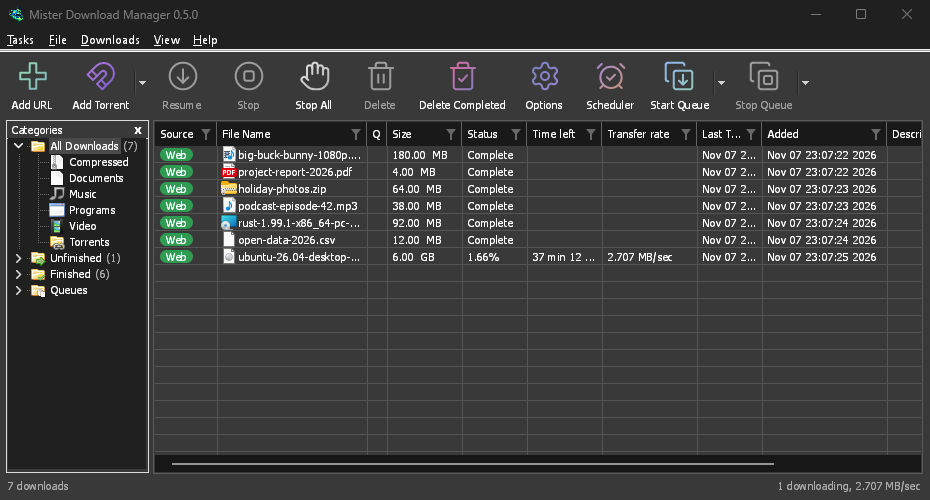
Screenshots in these docs show Windows and the light theme unless noted; on the website each has its dark version beside it. GDM follows the system's dark mode: when Windows (or your desktop) is set to dark, GDM is dark too.
免费、开源、无广告、无试用版。
Download GolinksPRO Download Manager