

Simpan video dari YouTube, Vimeo, TikTok, dan banyak situs lain, dengan kualitas pilihan Anda.
Langkah-langkah
- Buka video di peramban Anda dan salin alamat halaman dari bilah alamat.
- In GDM, click Add URL (or press Ctrl+N) and click OK. GDM sees that the address is a video's page and opens Download video from a page. (You can also open it with Tasks → Download video from a page..., paste the address and click Look up.)
- The first time, GDM needs its video helper. Click Install yt-dlp (about 23 MB). GDM downloads it from its official release and checks it before use.
- Wait while GDM looks the page up. The list of qualities appears, best first, with Audio only at the end: the sound as the site has it, then, with ffmpeg (next step), as an MP3 at its best variable bitrate or at 320, 256, 192 or 128 kbps.
- For the best qualities and MP3, GDM needs ffmpeg, which joins the picture and the sound, and makes the MP3. On Windows GDM offers to install it (about 80 MB): click Install ffmpeg if you want them. On Linux and macOS GDM uses the system's ffmpeg. Without it, you get the qualities that come with their sound.
- Pilih kualitas.
- Pastikan Simpan ke dan Nama file sudah benar. Nama file diambil dari judul video; ubah jika perlu.
- Mau subtitel? Pilih bahasa di Subtitel. Subtitel akan disimpan di samping video, atau di dalam video jika Anda mencentang Masukkan ke dalam video (lihat Subtitel).
- Klik Unduh sekarang, atau Nanti untuk menambahkannya ke daftar tanpa memulai unduhan.
Video akan muncul dalam daftar dan diunduh seperti file lainnya.
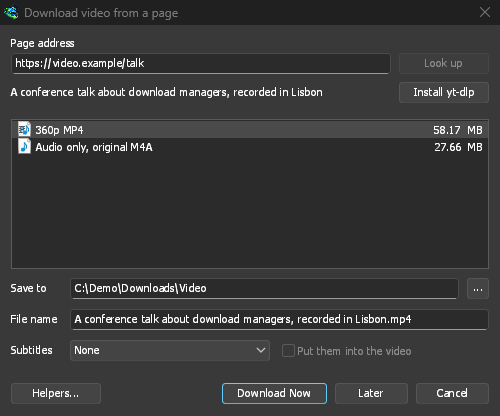
GDM lists the qualities: pick one. 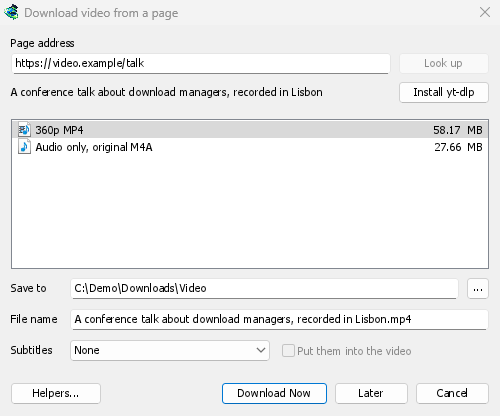
Video diunduh seperti file lainnya. 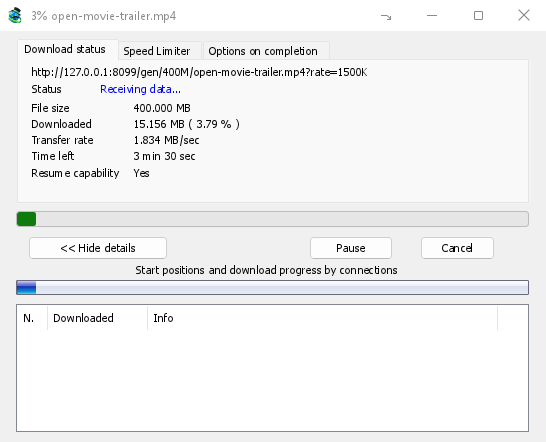
Perlu diketahui
- Tautan ke satu video di dalam daftar putar atau campuran hanya mengunduh video tersebut, bukan seluruh daftar.
- Video yang dilindungi DRM (sebagian besar layanan streaming berbayar) tidak dapat diunduh.
- Mengunduh mungkin melanggar ketentuan beberapa situs; Anda perlu memeriksanya.
Jika video tidak dapat diunduh, lihat Unduhan video.
Langkah selanjutnya
Gratis, sumber terbuka, tanpa iklan, tanpa masa uji coba.
Download GolinksPRO Download Manager