

YouTube, Vimeo, TikTok 및 기타 여러 사이트에서 원하는 품질의 비디오를 저장하세요.
단계
- 브라우저에서 비디오를 열고 주소 표시줄에서 페이지 주소를 복사하세요.
- In GDM, click Add URL (or press Ctrl+N) and click OK. GDM sees that the address is a video's page and opens Download video from a page. (You can also open it with Tasks → Download video from a page..., paste the address and click Look up.)
- The first time, GDM needs its video helper. Click Install yt-dlp (about 23 MB). GDM downloads it from its official release and checks it before use.
- Wait while GDM looks the page up. The list of qualities appears, best first, with Audio only at the end: the sound as the site has it, then, with ffmpeg (next step), as an MP3 at its best variable bitrate or at 320, 256, 192 or 128 kbps.
- For the best qualities and MP3, GDM needs ffmpeg, which joins the picture and the sound, and makes the MP3. On Windows GDM offers to install it (about 80 MB): click Install ffmpeg if you want them. On Linux and macOS GDM uses the system's ffmpeg. Without it, you get the qualities that come with their sound.
- 화질을 선택하세요.
- 저장 위치와 파일 이름을 확인하세요. 이름은 비디오 제목에서 가져옵니다. 원하시면 변경하세요.
- 자막을 받으려면 자막에서 언어를 선택하세요. 자막은 비디오와 같은 위치에 저장됩니다. 비디오에 포함을 선택하면 비디오 안에 저장됩니다(자막 참조).
- 지금 다운로드를 클릭하거나, 시작하지 않고 목록에 추가하려면 나중에를 클릭하세요.
비디오가 목록에 표시되며 다른 파일처럼 다운로드됩니다.
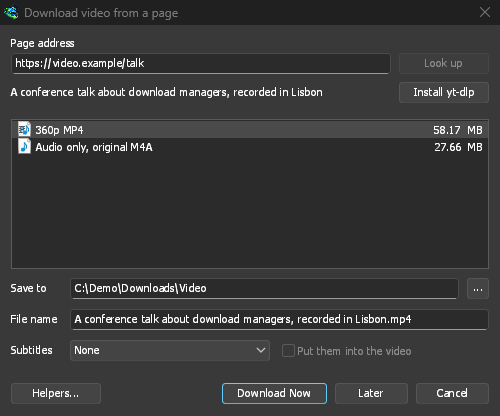
GDM lists the qualities: pick one. 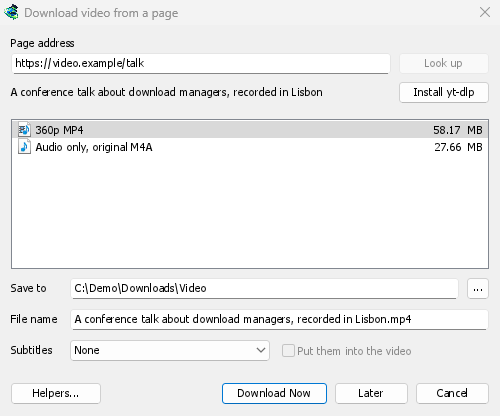
다른 파일과 마찬가지로 다운로드됩니다. 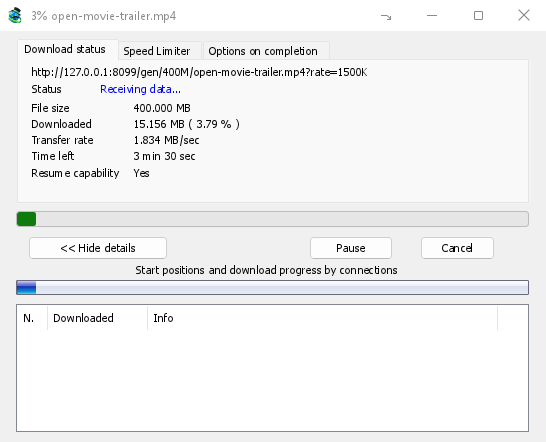
알아두면 좋은 점
- 재생 목록이나 믹스에 포함된 비디오 링크를 다운로드하면 전체 목록이 아니라 해당 비디오만 다운로드됩니다.
- DRM으로 보호된 비디오(대부분의 유료 스트리밍 서비스)는 다운로드할 수 없습니다.
- 다운로드가 일부 사이트의 약관에 위배될 수 있으므로 직접 확인해야 합니다.
비디오를 다운로드할 수 없으면 비디오 다운로드를 참조하세요.
다음 단계
무료, 오픈 소스, 광고 없음, 평가판 없음.
Download GolinksPRO Download Manager